
Quick Answers
- The PetChill online store supports three payment methods: Alipay, WeChat Pay, and PayMe; if you prefer to pay by other methods, you can place your order via WhatsApp and customer service will assist.
- Currently free shipping sitewide, Hong Kong local delivery, no minimum spend; the amount in your cart does not affect shipping, so you don't need to add extra items just to reach a threshold.
- After placing an order, you can log in to the member area 'Order Record' to check progress; if you have any questions, contact customer service directly via WhatsApp, service hours are Monday to Saturday 09:30–18:30.
- The website offers a 7-day return guarantee, details subject to the website terms; return arrangements, payment methods and promo codes are three independent mechanisms and do not affect each other.
- In the member points system, 10 points = HK$1, which can be used to deduct from order amounts; the membership programme also offers a personal exclusive promo code (a 95% personal exclusive code has been offered before), and usage details are subject to what the checkout page displays.
- Immediate order means in-stock items handled according to general Hong Kong local delivery arrangements; pre-order (out-of-stock pre-order) arrival time depends on supplier restocking, and customer service will confirm the approximate time before you order.
The most common situation for Hong Kong pet owners is: you just want to buy a bag of food or a box of litter, but you're not sure whether you need to open a membership, which payment method to choose, when delivery will arrive, or who to contact if there's a problem. This article is written to clarify every step from registration, ordering, payment, delivery, to points, promo codes and after-sales support, so you can get it right the first time you order.
Each step below only covers the official current arrangements; prices and details are always subject to what the website displays at the time. If you are unsure about any item, the safest way is to ask customer service once via WhatsApp before ordering, giving them the product you want to buy and your account status for verification.
Step 1: What's the use of opening a member account? Four steps to register
Opening a membership is not a necessary condition for placing an order, but once you open one, your order records, points and personal exclusive promo code will all be tied to the same account, making it much easier to check orders, check points and claim offers later. The registration process is roughly four steps:
- Go to the PetChill website and choose member registration.
- Fill in basic contact information, including name and a contact method that can receive messages. This information will be used later to verify orders and issue exclusive promo codes, so fill it in accurately.
- Set a password and log in to your account.
- After logging in, familiarise yourself with the member area first; look at 'Order Record' and the account information page once, and remember where the points balance and order status are displayed.
Regarding whether there is a discount for first purchase, note one point: the membership programme offers a personal exclusive promo code, and a 95% personal exclusive code has been offered before, but eligibility depends on the current campaign and designated customer group, and not all accounts are the same. So you don't need to guess based on what's circulating online; before ordering, just WhatsApp customer service with your membership information, and they can see your account's current status and give the most accurate answer.
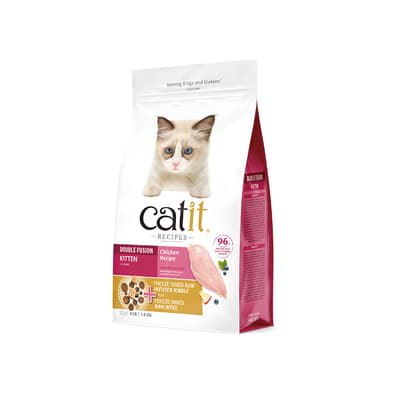
By the way, if the product you plan to buy is a popular formula, such as Catit Recipes Royal Series Cat Food Kitten Formula 4lb — HK$270, price and stock subject to the online store's current price. Such products sometimes go out of stock; asking once about stock before ordering can save you waiting for restock.
Online Store Ordering Process: From Cart to Submitting Order
Ordering itself is not complicated; what's complicated are the items that are hard to change after submission. The following steps apply to both mobile and desktop versions, and the order is worth following.
| Step | What to do | Special attention |
|---|---|---|
| 1 | Add products to cart | Confirm it's the style you want |
| 2 | Check specifications: weight, capacity, flavour | A wrong cat food weight or litter capacity changes both price and quantity |
| 3 | Fill in delivery information on checkout page | Address must include floor and unit; contact phone must be reachable |
| 4 | Enter promo code | Check whether the amount changes immediately after entry |
| 5 | Choose payment method | Alipay, WeChat Pay, PayMe, or arrange separately via WhatsApp |
| 6 | Check total and submit order | After submission, you generally cannot change quantity or add items yourself |
Three places are most error-prone. First, specifications: the same food may have multiple weight or flavour versions, and price differences can be large, so check each item carefully before ordering. Second, delivery information: Hong Kong residential delivery relies heavily on contact phone; if the number is wrong and you can't be reached during delivery, you'll have to reschedule. Third, promo codes: after entering, you must see the amount change; if the amount doesn't change, the code hasn't taken effect, and you can troubleshoot each reason or ask customer service to verify.
After submitting your order, it's advisable to screenshot the order confirmation page immediately and note the order number and order date. This screenshot will be the fastest reference later whether you're checking points credited, checking delivery progress, or contacting customer service to resolve an issue.

How to Choose Payment Method? Three Main Options: Alipay, WeChat Pay, PayMe
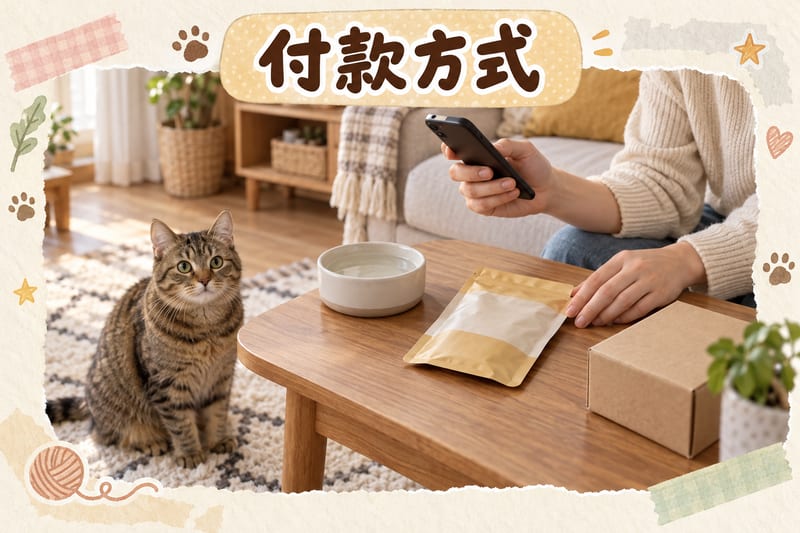
PetChill currently accepts three main payment methods, all completed directly on the checkout page.
| Payment Method | Suitable Situation | What to Note When Ordering |
|---|---|---|
| Alipay | Customers who commonly use Alipay on mobile | Follow checkout page instructions to complete payment; confirm amount before confirming |
| WeChat Pay | Customers who commonly use WeChat on mobile | Same as above; note whether the page returns to order confirmation after payment |
| PayMe | Customers used to transferring via PayMe | Keep a screenshot of payment record after completion for easy reconciliation later |
| Other payment methods | Your usual method is not among the above three | You can order via WhatsApp and customer service will assist with arrangements |
Which one to choose is purely a matter of your daily habits, because all three are instant payment methods and do not affect delivery arrangements or return rights. What really needs attention are two actions: first, check the total and delivery information once more before payment; second, keep a record after payment, such as a screenshot or payment record page, so you don't need to look it up again for reconciliation later.
If you choose to order via WhatsApp, the process will be confirmed step by step with customer service: first confirm products and quantities, then confirm delivery address and time slot arrangements, and only then confirm the amount and payment method. This approach is especially convenient for customers who need a specified delivery time slot or want to check for offers at the same time, because all details are clarified in one go, reducing back-and-forth.
Delivery Arrangements: Free Shipping Sitewide, Hong Kong Local Delivery, No Minimum Spend
Regarding delivery, three official arrangements are worth remembering: free shipping sitewide, Hong Kong local delivery, no minimum spend. This means whether you buy a single treat or a whole box of cat litter, the shipping arrangement is the same, and you don't need to add items to reach a certain amount. This is especially practical for customers buying just one or two consumables, for example buying one CIAO Cat Treat Japan INABA Churu Spoon Tuna 14g×3P — HK$15, price and stock subject to the online store's current price. Then there won't be a situation of 'buying a few extra items to get free shipping'.
As for whether you can specify a delivery time slot: the checkout page lets you fill in the delivery address and contact phone number for easy contact during delivery; if you need a specific time slot, the safest way is to request it via WhatsApp customer service after placing your order, and they will confirm whether the delivery can accommodate it. Actual arrangement depends on the delivery situation and is subject to customer service reply; it is not recommended to fill in special instructions on the checkout page and assume they are confirmed.
Two small habits are worth cultivating when receiving goods: first, check the packaging for obvious damage on the spot; if the outer box has a problem, take a photo first before opening; second, check the product style and quantity immediately after opening, because the earlier a problem is found, the simpler it is to handle. Most Hong Kong living environments are flats or village houses; if your delivery address has a gate, stairs, or requires leaving items at the door, remember to explain clearly when contacting, to reduce communication time on the delivery day.
What's the Difference Between Immediate Order and Pre-order (Out-of-Stock Pre-order)?
This is the question many customers most want to clarify before ordering, because the waiting time can differ greatly between the two.
| Item | Immediate Order | Pre-order (Out-of-Stock Pre-order) |
|---|---|---|
| Product status | In stock | Temporarily out of stock, waiting for restock |
| Delivery speed | Handled according to general Hong Kong local delivery arrangements | Arrival time depends on supplier restocking, generally slower than in-stock |
| Confirmation before ordering | Check online store's current stock display | Customer service will confirm approximate arrival time before ordering |
| Suitable situation | Needed soon, e.g. food almost finished | Not urgent, but want to ensure you get your preferred style |
The advantage of immediate order is speed, suitable for emergencies; the advantage of pre-order is that you can lock in the product, suitable when you are not in a hurry but want to buy a specific formula. Note that the arrival time of pre-orders is determined by the supplier's restocking progress and is not a fixed number of days, so customer service can only provide an approximate time, not an exact date. Ask clearly before ordering, and you can decide based on your actual needs whether to wait for restock or buy another in-stock product instead.
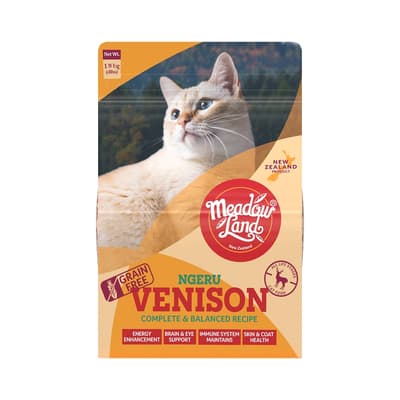
Popular formulas are the category where pre-orders most often appear, such as Meadowland Cat Food Complete Balanced Series Venison 1.8kg — HK$278, price and stock subject to the online store's current price. Once such products are out of stock, restocking time depends on supplier arrangements. If you don't have much food left, it's advisable to buy an in-stock product from the same series or another switchable formula as an emergency, rather than waiting for the pre-order to arrive before arranging, to avoid running out of food in the meantime.
How Do Member Points Work? 10 Points = HK$1
The core ratio of the points system is 10 points = HK$1, meaning points can be used to deduct from order amounts. Once you understand this ratio, you can quickly estimate how much your points are worth, for example 1,000 points is equivalent to a HK$100 deduction.
| Points Operation | System Calculation | Practical Meaning |
|---|---|---|
| Accumulate points | Record generated per order | Each order will have a record |
| Deduct from order | 10 points = HK$1 | 1,000 points is about HK$100 |
| Check available balance | Log in to member area account information / order record | Subject to what the member centre displays |
| Verify questions | Give to customer service via WhatsApp for verification | Customer service can see the account's current status |
The most common misunderstanding is treating 'accumulated points' directly as 'available points'. The record in your account may include both earned and used portions, so you should look at the available balance displayed in the member centre, not rely on memory or your own addition. If you have questions, giving your membership information to customer service for verification is fastest, because they see your account's current status and can answer questions about usage conditions and record discrepancies at the same time.
For lower-priced products, the effect of deducting with points is more noticeable, for example CIAO Cat Treat Japan INABA Churu Spoon Tuna 14g×3P — HK$15, price and stock subject to the online store's current price. Using 10 points = HK$1, a product worth HK$15 corresponds to about 150 points of deduction, making it easy to gauge how much your points are actually worth.
How to Use Promo Codes? 95% Personal Exclusive Code and Notes
The membership programme offers a personal exclusive promo code, and a 95% personal exclusive code has been offered before. Such codes are usually tied to customer identity or a designated customer group, so the same code may not work for everyone, and promo code usage details are always subject to what the checkout page displays. The actual operation is only three steps: enter the code on the checkout page, confirm whether the amount changes immediately, and check the discounted total before submitting.
If the amount does not change after entry, the most common reasons are: the code has expired, the campaign conditions for that period are not met, it has already been used, the product is not within the applicable scope, or there are extra spaces, case differences, or full-width/half-width differences when entering. You can troubleshoot each reason, but if you don't have enough time, giving the code and cart contents to WhatsApp customer service for verification will be much faster than trying yourself.
Also note one point: discounts only affect the product amount and do not affect delivery arrangements, the 7-day return guarantee or the authenticity guarantee. Even if you use a promo code to order, your after-sales rights are unaffected, and you don't need to give up any inspection or return arrangements just to use a code.
How to Contact After-Sales Support? WhatsApp Service Hours and Order Checking Methods
The two most practical paths after placing an order: check yourself, or contact customer service.
The way to check yourself is to log in to the website member area 'Order Record' to see each order's status and points details, and you can also see your available points balance on the account information page. This method is fastest, suitable when you just want to confirm whether the order was successfully submitted or check delivery progress.
If you have a problem and need to contact customer service, WhatsApp customer service hours are Monday to Saturday 09:30–18:30. To handle it in one go, it's advisable to prepare the following information: order number, order date, product name involved, specific details of the problem, and order confirmation screenshot. Providing everything at once allows customer service to check directly without you having to go back and forth. If you encounter a problem outside service hours, you can prepare the information first and contact them during service hours, which will be much more efficient. One point to emphasise: if it is an emergency related to pet health, please contact a veterinarian immediately rather than waiting for a customer service reply.
7-Day Return Guarantee and Common Situations After Ordering
The official website offers a 7-day return guarantee, details subject to the website terms. In practice, a few habits can make the process smoother: keep the packaging intact, keep order screenshots and receipt records, and contact customer service as soon as a problem is found. Return arrangements, payment methods and promo codes are independent mechanisms; you will not lose out because you used a certain payment method or promo code.
Common situations after ordering usually fall into three categories. The first is wanting to change information, such as address or contact phone; for this, WhatsApp customer service as soon as possible, the earlier the better. The second is wanting to check progress, including whether in-stock items are shipped or waiting for restock; you can check the order record yourself, and a confirmation from customer service will make it clearer. The third is questions about the product itself, such as style, quantity or packaging condition; remember to keep photos or screenshots, because these records are the most direct basis for handling.
Whichever category, remember one principle: complete information, clear explanation, early communication. Do these three, and most problems can be resolved in a short time.
Further Reading
- Complete Guide to Daily Cat and Dog Care | Cat Litter, Cleaning, Grooming, Nail Care
- How to Use PetChill Discount Codes and Member Points? Claiming Methods, Usage Rules and Common Questions
- Hong Kong Pet Supplies Buying Guide | Must-Read Shopping List for Beginners
- Hong Kong Pet Brand Authenticity Guide | How to Tell Official Goods from Parallel Imports
- Complete Guide to Cat and Dog Nutrition | Ingredients, Portions, Switching Food, Weight Management
- Annual Cat and Dog Health Check Guide | When to Do It, What Items to Check
Below are some real products mentioned in this article; prices and stock are subject to the online store's current price:
- Catit Recipes Royal Series Cat Food Kitten Formula 4lb — HK$270
- Meadowland Cat Food Complete Balanced Series Venison 1.8kg — HK$278
- CIAO Cat Treat Japan INABA Churu Spoon Tuna 14g×3P — HK$15
Veterinary Warning: In emergencies, contact a veterinarian immediately; this article is for reference only and cannot replace veterinary diagnosis. Information checked as of 2026-10-13Source: PetChill Editorial Team
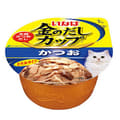
 CIAO full guide →
 Royal Canin full guide →
 Fuji One full guide →