Quick answers
- You don't have to keep it plugged in 24/7, but it's best to leave it plugged in and install backup alkaline batteries: the adapter is the main power supply, the batteries are the backup for power cuts, and using both together is the most reliable.
- On common PETKIT models, the backup uses 5 AAA alkaline batteries, and the official backup runtime is about 7 to 14 days; some 6L-class models' manuals state about 15 to 30 days.
- The manual specifies alkaline batteries only; rechargeable batteries are not allowed. Backup batteries are generally not included and must be purchased separately.
- Once it switches to battery mode, the Wi-Fi connection and camera stop working, so the app can't show real-time status or change the feeding plan until power returns.
- Unplugged and Wi-Fi offline are two different things: offline but still powered, the original daily feeding plan still runs; unplugged with no backup batteries, it stops until power returns.
- The adapter's rated input must match the model, commonly 5V or 6V⎓2A; using the wrong voltage or a generic power supply increases the risk of dispensing errors and safety issues.
- The recommended operating temperature is generally 0°C to 40°C; keep away from water sources, direct sunlight, and cables pets can chew.
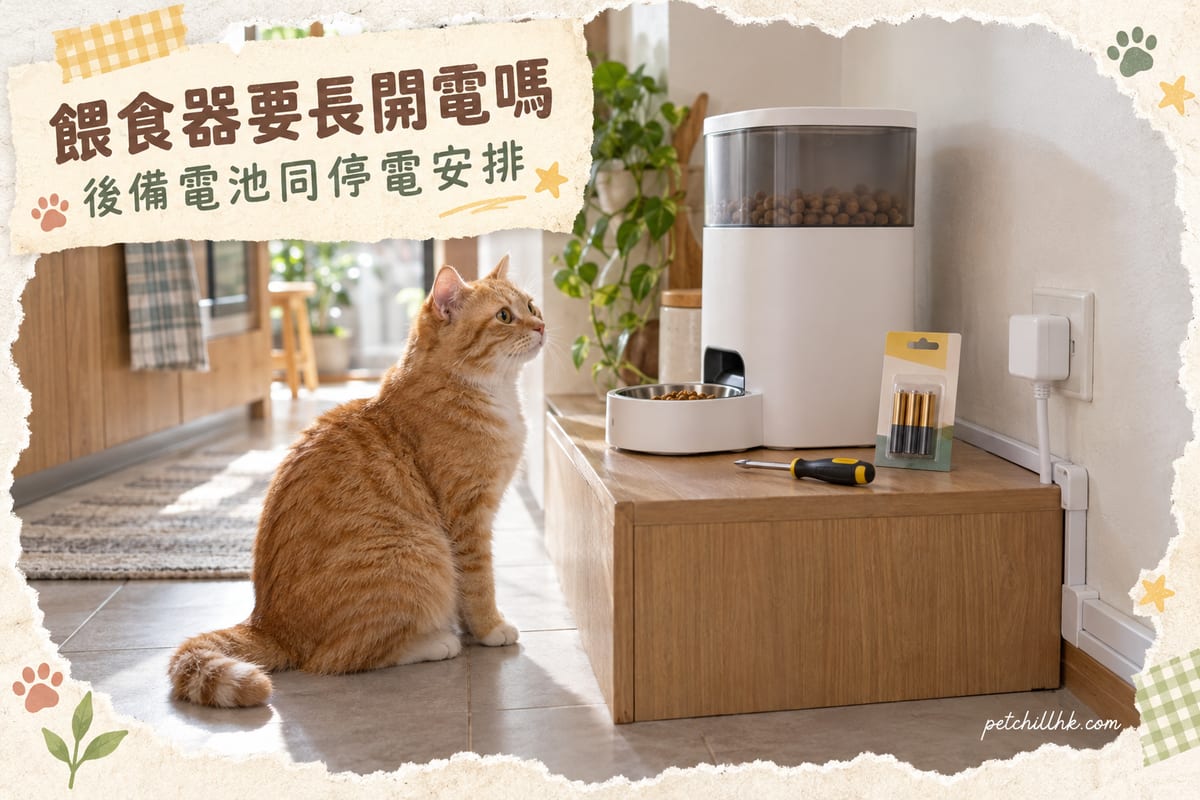
"Does the PETKIT feeder need to be on all the time?" The answer is: you don't have to keep it plugged in 24/7, but plugging it in plus backup batteries at the same time is the most reliable approach. Automatic feeders are designed so that "the adapter is the main power supply, and alkaline batteries are the backup for power cuts," so leaving it plugged in long-term is not wear and tear but the normal state; what really needs attention is whether the backup batteries are installed, when to replace them, and your contingency plan for power cuts.
This article skips vague theory and directly breaks down four practical questions: first, what the main power supply and backup each handle; second, how the feeder behaves differently when unplugged, during a power cut, and when only Wi-Fi is down; third, the backup battery specs, runtime, and replacement timing; fourth, the most practical electrical safety and power outage arrangements for Hong Kong homes. The figures come from official spec pages and product manuals, with special mention of Hong Kong's humid weather and the socket environment in small flats.
Does the PETKIT feeder need to stay plugged in? First distinguish "main power" from "backup"
An automatic feeder's power is a dual-track design, not simply "use power when available, stop when not."
Main power is the DC adapter (power supply), plugged into a household socket and connected to the device via USB or a DC cable. This line handles daily operation: driving the motor to dispense food, maintaining the Wi-Fi connection, and supporting the camera and two-way app communication. When main power is normal, the feeder is a networked device, and you can add a meal, change times, or view live footage from your phone at any time.
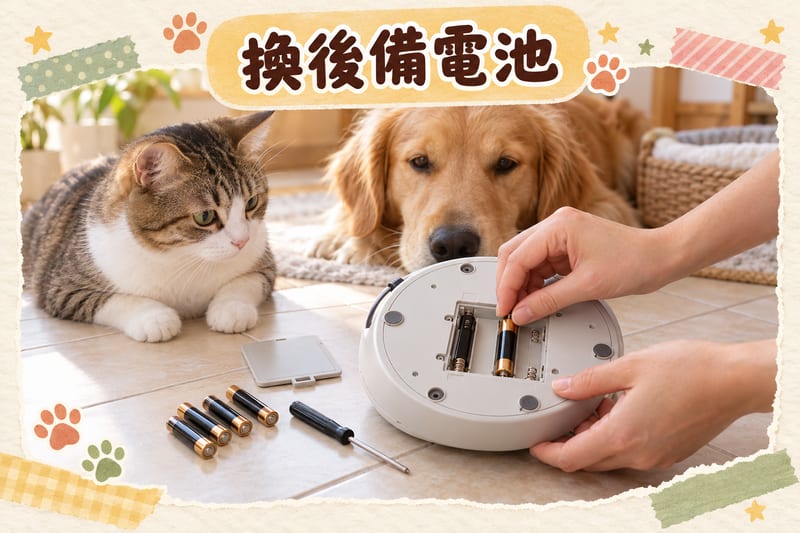
Backup power is the alkaline batteries in the battery compartment at the bottom of the device, which take over only when main power is interrupted (cable unplugged or power cut). Its only job is to let the originally set feeding schedule continue, so your pet doesn't go hungry. The official statement for the SOLO series is that with 5 AAA alkaline batteries installed, even during a power cut, the feeder will still dispense according to your set schedule.
So the question "does it need to be on all the time" has a two-layer answer:
- Want full functionality (app notifications, camera, change schedule anytime): keep it plugged in.
- Only need no missed meals (feeding schedule keeps running): it can run unplugged, but must have enough alkaline batteries installed, and runtime is limited.
Conversely, if you run on batteries only for a long time without plugging in, there are three practical costs: runtime is only about 7 to 14 days (depending on model), Wi-Fi and camera are disabled, and you won't receive push notifications for low food or stuck food. For commuters, the third point is the most troublesome — you think everything is fine, but the feeder has actually quietly failed to dispense.
Unplugged, power cut, Wi-Fi only down: three situations behave completely differently
Many Hong Kong users confuse "power" and "network," leading to wrong judgments. The official FAQ is clear: the feeding plan is stored in the device, and being offline does not mean feeding stops.
| Situation | Feeder behavior | What the app shows | What you need to do |
|---|---|---|---|
| Wi-Fi only down (still plugged in) | Dispenses according to the schedule set before going offline, same number and portions | Dispensing records during offline period won't sync to the app; status display lags | Nothing needed; reconnects automatically after network returns; if offline long-term, check the router |
| Power cut or adapter unplugged (with backup batteries) | Automatically switches to batteries, continues dispensing according to schedule; Wi-Fi and camera disabled | No real-time status, can't change schedule | After power returns, confirm schedule and check food tank; also check batteries are not loose |
| Power cut with no backup batteries | Stops working until power returns | Shows offline | Feed manually; after power returns, try manual dispensing once to confirm the motor is normal |
This table has two key messages. First, being offline won't cause your pet to miss meals, so if you see the app showing offline, you don't need to rush home from work — as long as the feeder is still plugged in, the schedule runs. Second, only a power cut with no backup batteries will actually stop feeding, so "whether batteries are installed" is the core of the whole power management.
Also, the official notes say that after a power cut and restoration, the feeder's Wi-Fi will reconnect automatically, and you don't need to go home to reset it manually. This is especially important for Hong Kong's common short power cuts (e.g., building trips, renovation triggering a residual current device): in most cases, the system has already recovered before you get home.
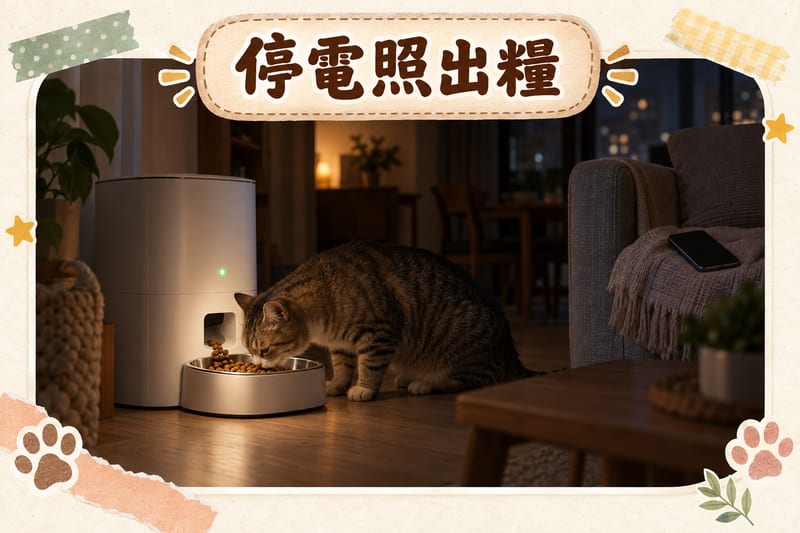
By the way, if your feeder supports a camera, the camera will be disabled in battery mode to save power. This is a design trade-off, not a fault; but if you rely on the camera to watch your pet eat, be prepared for no footage during a power cut and check the app records afterwards.
Choosing backup batteries: alkaline battery specs, runtime, and replacement timing
Backup power isn't just about putting in any batteries; the battery type and condition directly affect whether it can hold up during a power cut.
| Item | Common specs (refer to official spec page/manual) | Practical reminder |
|---|---|---|
| Backup battery model | 5 AAA alkaline batteries (some 6L-class models use 4 AA batteries) | Check your own model's manual; different models are not interchangeable |
| Battery type restriction | Alkaline batteries only; rechargeable batteries not allowed | Alkaline batteries have stable voltage; rechargeable batteries have a lower nominal voltage, which may cause insufficient motor power |
| Included? | Generally not included; must buy separately | Buy on the first day; don't wait until a power cut to discover there are none |
| Official rated runtime | About 7 to 14 days; some 6L-class models about 15 to 30 days | Runtime is under lab conditions; actual depends on number of feeds and temperature |
| Rated input | Commonly 5V or DC 6V⎓2A | Adapter must match the model; don't borrow another appliance's power supply |
| Ambient temperature | Generally recommended 0°C to 40°C | Don't place in direct sunlight or next to ovens or kettles |
When to replace batteries? Don't wait for the app alarm. The practical approach is to check every 3 months, and before long holidays or business trips, replace with fresh alkaline batteries and do a power-cut test on the spot: unplug the adapter, see if the feeder dispenses normally, then plug it back in. This test takes me 5 minutes but can save you from worrying throughout your trip.
When to remove batteries? If you won't use the feeder for more than a month (e.g., pet goes to a pet hotel, or you're moving), remove the batteries and unplug the adapter. The manual explicitly mentions that long-term storage without removing batteries may damage the device due to battery leakage. Similarly, if you see white powder or smell an odor in the battery compartment, clean it immediately and don't keep using it.
Don't mix old and new batteries. If you put two new and three old batteries in the same compartment, the old ones will run out first, making the whole set's output unstable and the dispensed portion possibly smaller. Replace all batteries as a set.
Electrical safety: sockets, cables, moisture, and pets chewing cables
The feeder is an appliance that is powered 24 hours a day, so electrical safety should be treated like any household appliance, not "just a small toy."
Sockets and load. Don't share the same power strip with high-power appliances (electric kettles, heaters, dehumidifiers). If the power strip is already full, adding a small power supply won't cause problems, but if high-power devices are turned on at the same time, it may trip — and tripping means your feeder loses power, relying on backup batteries. It's recommended to use a dedicated socket or a quality power strip for the feeder, and avoid plugging it into a universal socket that family members might switch off casually.
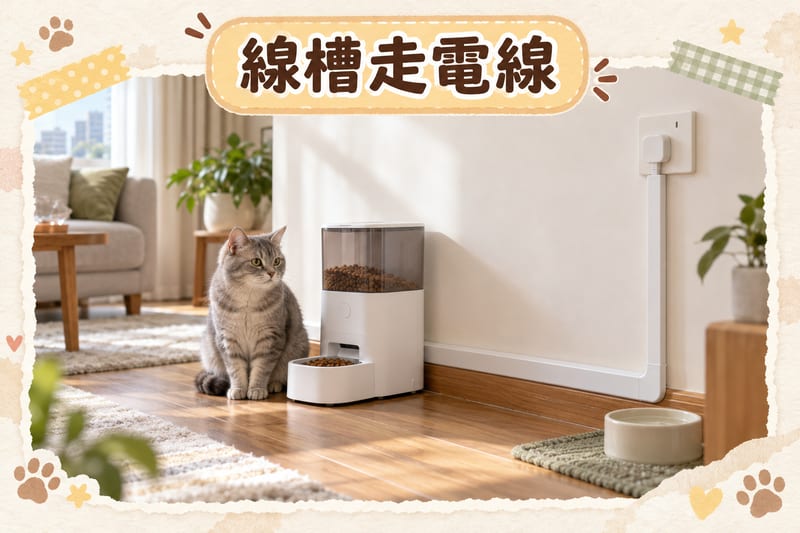
Cable protection. The manual has an important line: if you're worried about the power cord being chewed by pets, you should buy cable conduit to protect it. In small Hong Kong flats, a common situation is the feeder placed next to the TV cabinet, with the cable crossing the cat's daily route. The solution is to run the cable along the skirting board in a rigid conduit, and not leave a loose dangling cable for the cat to play with; if your pet has a habit of chewing cables or cords, first modify the environment (tidy cables, add covers, provide alternative chew toys) before placing the feeder.
Moisture and location. Don't place the feeder right next to a water fountain, sink, or fish tank; the adapter and electronic parts must stay dry. Hong Kong's humid spring and the temperature difference from air-conditioning in summer can easily cause condensation inside the device; if moving it from a cold to a hot location, let it return to room temperature before plugging in. When cleaning the food tank and stainless steel bowl, remove the parts to clean; don't take the whole unit to rinse with water.
Don't modify it yourself. Don't use cable extensions, don't cut off the plug, don't put the adapter in a sealed box or cover the heat dissipation area with cloth. The adapter will be slightly warm during long operation, which is normal; if it's hot to the touch, smells, or the casing deforms, unplug immediately and stop using it.
Check residual current protection before trips. If your flat has a residual current device (RCD) test button, press the test once before going away to confirm the protection device is working, avoiding a whole-house trip caused by leakage from other appliances.
Power outage arrangements: pre-trip checklist and what to do after power returns
Most power cuts in Hong Kong are short (trips, utility maintenance, building works), but sometimes they last several hours. A feeder with backup power already covers most situations; what's left is your arrangements.
Before going out, follow these 7 steps:
- Replace batteries: replace all 5 with fresh alkaline batteries at once (or the number for your model); don't mix old and new.
- Do a power-cut test: unplug the adapter, manually dispense or wait for a scheduled feed to confirm it actually dispenses, then plug it back in.
- Confirm the feeding plan: in the app, check each meal's time and portion, especially whether your recently changed schedule was saved successfully.
- Calculate coverage days: if the trip is 10 days and the backup runtime is rated 14 days, it's safe; if the trip is longer than the rated runtime, you must arrange for someone to feed in person.
- Arrange a second plan: leave a key or contact person, explain where the food is and the portion per meal, and clearly tell them which button is for manual dispensing.
- Watch food quantity and freshness: fill the food tank sufficiently before going out, but don't pack it down; if the weather is humid during a power cut, replace the desiccant with a new batch.
- Record the device location: don't place the feeder on a socket or smart plug that might be switched off; also don't put it in a corner no one passes by, so the person visiting can handle it.
After power returns, do these 3 checks:
- Confirm schedule and connection: open the app to see if the feeder has automatically reconnected and whether the schedule is fully displayed.
- Manually dispense one meal: if the power restoration time has skipped a meal, don't immediately compensate with a large portion; first manually dispense the original portion and observe normal dispensing.
- Check the food tank and dispensing outlet: humidity changes during a power cut may cause dry food to clump or stick to the outlet; clean it; if the dispensed portion is noticeably smaller, check for crushed food stuck.
If the power cut lasts longer than the backup runtime, the feeder will stop feeding. Don't panic: dry food in a sealed tank won't spoil immediately; after power is restored, feed the normal portion, and don't feed two or three times the amount at once to make up for it, as this can cause digestive upset. For pets on long-term weight management, the portion after compensation should follow the original plan; you can refer to the cat weight management guide to adjust the pace.
Food the feeder can't handle: how to pair wet food and prescription diets
Automatic feeders are only suitable for dry food and freeze-dried treats (generally requiring dry food diameter not exceeding about 12 mm and freeze-dried not exceeding about 9 mm); they cannot hold wet food, canned food, or food that is too moist. This is another limitation to remember besides power management: the feeder provides "timed, portioned dry food," not a complete diet.
| Food type | Can it go in the automatic feeder? | Recommended practice |
|---|---|---|
| Dry food (kibble diameter within about 12 mm) | Yes | Divide into meals according to the official daily portion, weigh grams with a digital scale |
| Freeze-dried treats (within about 9 mm) | Yes, depending on model | Try a small amount first to confirm it won't clog the outlet |
| Wet food, shredded meat cans, gravy | No | Feed by hand, or use a dedicated model that can hold wet food |
| Veterinary prescription diet | Depends on dry/wet form | Dry form can go in the machine, but the formula must be chosen after veterinary assessment |
For dry food, portions shouldn't be estimated by eye. Use a digital scale to weigh grams according to the official feeding table, then divide into the feeder's meals, so you won't have a situation where "the feeder says it dispensed one portion, but the weight is actually 20% off." To understand the difference between complete food and complementary food, see the difference between complete and complementary food.
As for prescription diets, they are dietary support chosen after veterinary assessment; they cannot be fed as ordinary food long-term on your own, nor should they be stopped or switched without advice. If your pet is on a prescription diet, the feeder is only responsible for "dispensing on time"; the formula and portion must still follow veterinary instructions. For pets on long-term medication, the coordination of medication and diet can refer to the effects of steroids on liver and kidneys, but everything is subject to veterinary judgment.
PetChill products mentioned in this article:
- Applaws dog canned food Taste Toppers shredded meat in gravy chicken breast + duck 156g (3411) — HK$19 (stock 0, available for pre-order)
- Royal Canin prescription diet French Royal Canin dog food DENTAL medium and large breed dental care health management prescription 6kg (3093000) — HK$604 (stock 0, available for pre-order)
- Royal Canin prescription diet French Royal Canin dog food DENTAL small breed dental care health management prescription 1.5kg (3094600) — HK$249 (stock 0, available for pre-order)
Prices and stock are subject to the online store's current listed price. Note that the first item is canned wet food and cannot be placed in an automatic feeder; it is only suitable for hand-fed extras; the latter two are veterinary prescription lines, remember to choose after veterinary assessment.
The 5 most common power management mistakes among Hong Kong users
- Thinking batteries mean you can go completely unplugged. Batteries are only backup; long-term use disables Wi-Fi and camera, runtime is only about 7 to 14 days, and you won't receive dispensing error notifications.
- Buying a feeder but not installing batteries. Backup batteries are generally not included; many people procrastinate until the day of a power cut to discover there are none, causing missed meals.
- Using rechargeable batteries as backup. The manual specifies alkaline batteries only; rechargeable batteries have different nominal voltage, and motor power and runtime won't meet standards.
- Plugging into a socket that family members might switch off. Smart plugs, universal sockets, power strip switches — any one switched off equals a power cut, and you may not know immediately.
- Letting pets chew the cable. A chewed-through cable not only stops the feeder but also poses electric shock and short-circuit risks; use cable conduit to cover it before running the cable.
Another point that isn't a mistake but is often overlooked: after changing food, changing desiccant, or adding freeze-dried, you should manually dispense once on the spot to confirm the new food size won't clog the outlet. The most common reason for "not dispensing" is not lack of power but kibble too large or powder accumulation.
Frequently asked questions
Does the PETKIT feeder need to be on all the time, or are there other power management tips?
You don't have to keep it plugged in 24/7, but it's best to leave it plugged in and install backup alkaline batteries: the adapter is the main power supply, and the batteries are only for power cuts. On common models, the backup takes 5 AAA alkaline batteries (rechargeable batteries are not allowed), and the official backup runtime is listed as about 7 to 14 days. Running on battery alone disables Wi-Fi, so the app won't receive real-time status, so keep it plugged in before long holidays or business trips.
Will the feeder still dispense food during a power cut?
It depends on whether backup batteries are installed. With 5 alkaline batteries installed, the feeder will continue dispensing according to the original schedule after a power cut, with the same number of meals and portions; without batteries, it will stop until power returns, and the previously set feeding plan will not be lost. After power returns, Wi-Fi will reconnect automatically, and you don't need to reset the schedule.
How long do the feeder's backup batteries last? Do they need regular replacement?
Officially, different models are rated from about 7 to 14 days, and some 6L-class models' manuals state about 15 to 30 days, depending on battery brand, ambient temperature, and number of feeds. The practice is to check every 3 months, or replace with fresh alkaline batteries before each long holiday; if not used for more than a month, remove the batteries and disconnect the adapter to avoid battery leakage.
Will the feeder break if left plugged in? Can I use batteries only?
Leaving it plugged in is normal use, because the adapter is the designed main power supply, and the backup alkaline batteries are not rechargeable, so there's no risk of overcharging. Conversely, running on batteries only for a long time not only gives a runtime of only about 7 to 14 days but also disables Wi-Fi and the camera, so you won't receive notifications about low food or dispensing errors, so it's not recommended as a permanent setup.
After a power cut and restoration, do I need to reset the feeding plan?
Generally no. The feeding plan is stored in the device's memory; a power cut only pauses execution, and after power returns it will continue dispensing according to the original schedule, and Wi-Fi will reconnect automatically. However, after power returns, it's recommended to do 3 things immediately: confirm in the app that the schedule is still complete, manually dispense one meal to confirm normal dispensing, and check the food tank for stuck food or clumps.
Further reading
- Complete pet nutrition guide | Ingredients, calories, how to choose prescription diets (2026) — From ingredient lists and calorie density to the role of prescription diets, see at a glance how to calculate daily portions, most practical with feeder meal splitting.
- Cat weight management guide — Timed, portioned feeding is the first step in weight management; learn to fine-tune each meal's portion according to body condition.
- The difference between complete and complementary food — Which category the dry food from an automatic feeder falls into, and how to count extra canned food, all clarified at once.
- The effects of steroids on liver and kidneys — Diet and feeding arrangements for pets on long-term medication, and how to coordinate with the veterinarian.
In emergencies, contact a veterinarian immediately; this article is for reference only and cannot replace veterinary diagnosis.
Information checked as of 2026-10-12Source: PetChill editorial team
 Royal Canin full guide →